
Storyboards in Digitally Assisted Storytelling
It was in the 1930s that storyboards were coined and first used by Walt Disney Studios. Soon after, storyboarding's productivity and usefulness spread to other studios, becoming a common practice within the design and development phases of a project. Carleton Immersive Media Studio CIMS is one of those studios. Our Digitally Assisted Storytelling DAS division is a prominent user of storyboards for most of its projects. A storyboard can be described as a graphic representation of a film displayed shot by shot. It is considered the outline of a film and used to help generate and strengthen the film's narrative.
Additionally, and sometimes more importantly, the storyboard visually communicates the director's intent for the film with colleagues and clients. A storyboard is also considered a vital tool throughout production, allowing for changes in scenes to be updated and communicated fluidly. CIMS DAS division has made several storyboards for its projects, and our approach in starting each storyboard is often quite similar. Our storyboards take on different mediums depending on the project and the phase that the project is in. At times, we hand-draw our storyboard to help through the creative process. Other times we choose digital platforms. This blog will guide you through some of the key factors CIMS takes into consideration when making storyboards for our Digitally Assisted Storytelling projects, whether those projects are rooted in animation, architectural visualization film, or our virtual tours. I’ll also discuss some of the storyboard strategies CIMS has used in projects.
 A digital storyboard used in a CIMS DAS project
Intent is probably the most important factor CIMS considers when working out a storyboard. Transmitting the client's intent for the animation is crucial in developing our storyboards. Whether it be a script, a brief description of the project or the Building Information Model BIM and construction documents of a project given by our clients, a storyboard will help begin to communicate that intent visually, not only back to the client but to the team producing the film as well. Furthermore, it is not simply the client's intent our storyboards are trying to successfully communicate. CIMS Digitally Assisted Storytelling projects are often architecturally based, making it imperative that CIMS considers the architects' design intentions and the surrounding context when beginning a storyboard. Our storyboard production often begins by diving into the plans, elevations and sections, and reading through and assessing key moments and spaces from which the storyboard can begin developing. We also consider the viewers in the development of our storyboard. By whom will this animation be viewed? Who is our audience? All of these “intentions” help establish a solid framework for our storyboard.
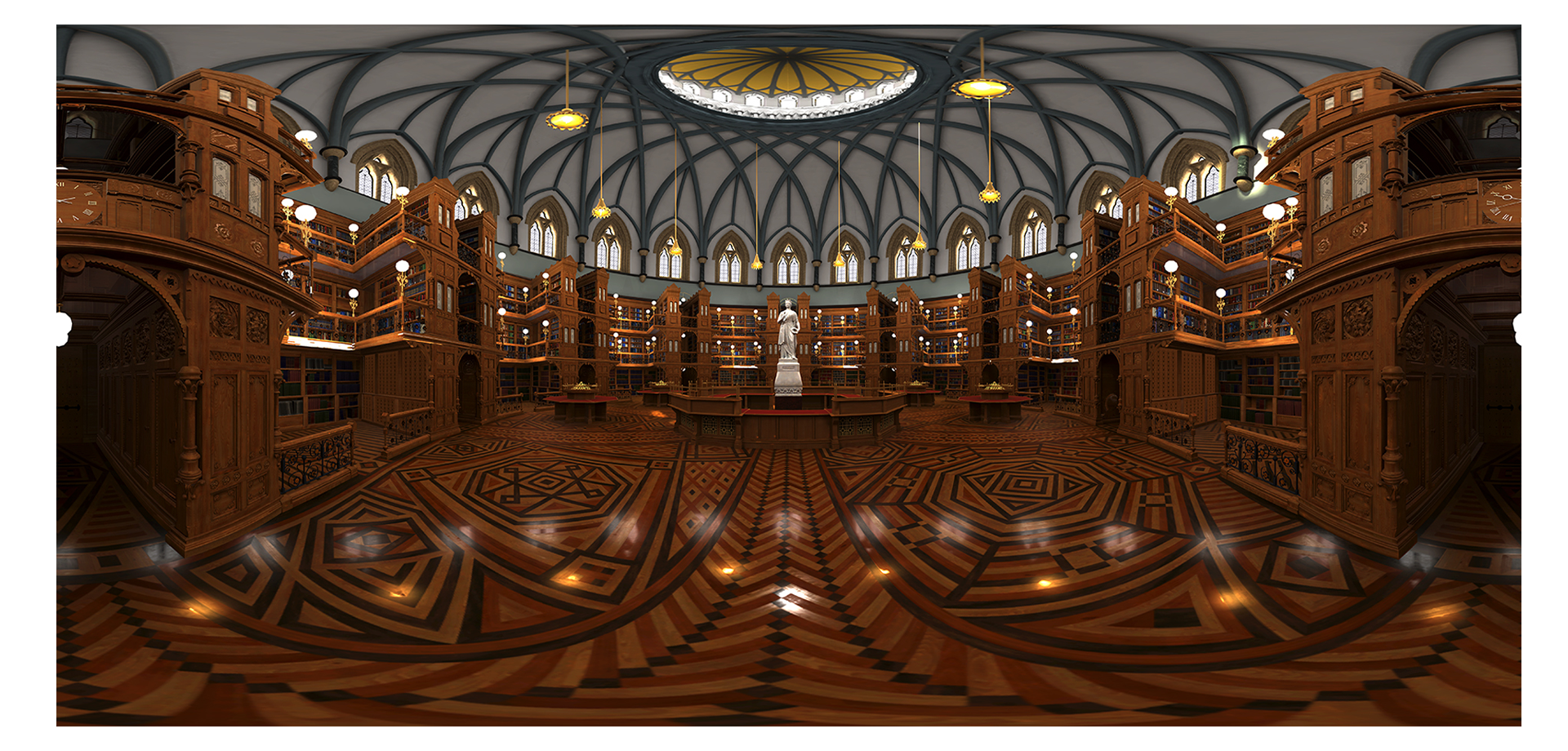
 A still of CIMS digital recreation of the rotunda in the Centre Block
An exciting part of creating storyboards for DAS projects is that the set is often also the project's main protagonist, making the storyboard all the more important in communicating the project's narrative to clients and the production team. During the project's storyboarding phase, CIMS uses the storyboard to determine the visual style, camera angles, positions and path, and the number of sets needing digital modelling and detail design for the project. The CIMS team often takes an architectural approach in developing storyboards. Using the provided BIM and construction drawings, the production teams create plans, sections, and camera views to help communicate features of the film such as the camera's position, angle, direction, and camera path. This also helps determine to what extent the set will need to be modelled. This was especially the case with the Virtual Parliament project in partnership with the National Film Board, the Library of Parliament, and DPT. The sets were all free-movement virtual spaces. This meant our storyboard had to take on a different form to communicate the sets' scope to the production team and allow our clients to communicate areas of interest, the location of the viewer, and the radius the view would be allowed to walk to.
 A still of CIMS digital recreation of the House of Commons
It is essential when developing the storyboard that you consider the type of DAS project it will be. Whether it’s a fully 3D animated film, an architectural visualization or a virtual tour, a CIMS DAS project's genre/type will often determine the extent of information needed within the storyboard. An architectural visualization project might only need to communicate the visual style, camera locations, the lighting and desired ambiance, and additional information that might pertain to the architecture’s historical information necessary to the scene. In other projects, where we include animated characters and virtual reality scenes, a storyboard needs to adapt to include space for the necessary information needed to help communicate each scene to all parties of the production process. At times, the medium we use to develop our storyboards is determined by the genre, complexity, and project phase. Our top choices for generating storyboards include:
A good old fashion hand-drawn storyboard
This technique is often used at the CIMS round table when meeting and discussing the project's flow and quickly breaking down the scenes' details.
 A storyboard frame illustrated by Yana Kigel for CIMS' Epic Megagrant proposal video
Digitally produced storyboards
Our team often produces storyboards with design software, such as Indesign and Illustrator, for presentation purposes as well as during production.
 A storyboard used in a CIMS DAS architectural visualization project
The CIMS DAS team has been working from home since March due to covid. Because of this, we needed to find new methods of communicating and developing our storyboards. Web-based platforms like Miro allowed our team to brainstorm and develop storyboards while working remotely. This was a huge benefit, giving our team the ability to add more information to storyboards than other mediums. This is mostly due to Miro’s large, whiteboard-like platform, which provides ample space for our team to organize ideas, camera location, character animation details, and visualization markups all on one large board in one location.
 A storyboard created using web-based visualization software, Miro