
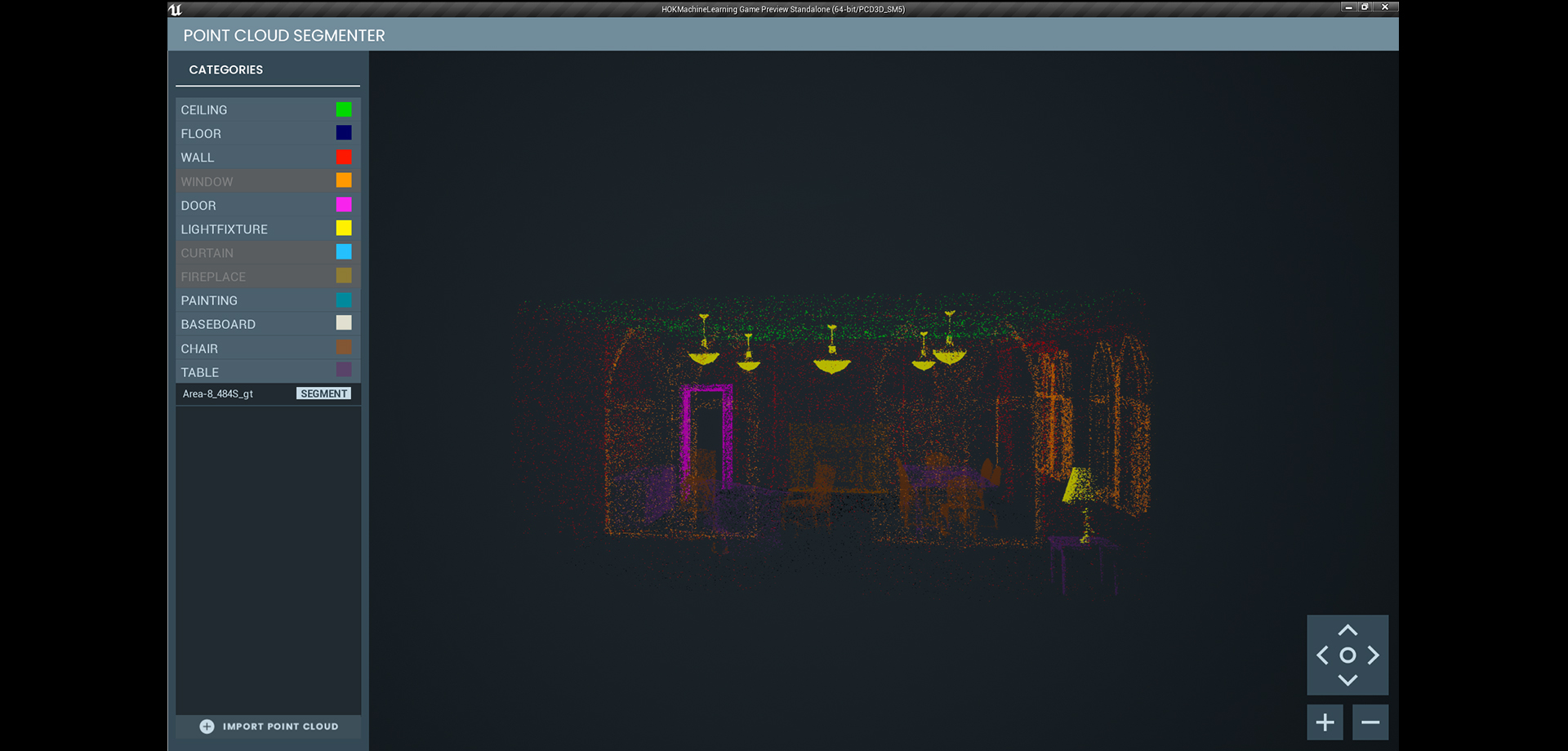
Point Cloud Segmenter
The Point Cloud Segmenter is a desktop application developed in Unreal Engine 4 that incorporates machine learning algorithms to visualize and segment point clouds. The purpose of the application is to segment any given point cloud into its visualized components as a means of tracking assets in the Centre Block Rehabilitation project. It Leverages the innate visualization capabilities of Unreal Engine 4 as a real-time rendering, as well as its ability to support additional dependencies that enable the engine to visualize point cloud data as asset types, and incorporates machine learning algorithms in the form of Python scripts during runtime.
The application runs on Unreal Engine 4 along with a multitude of external dependencies (libraries, plugins and scripts) in the background. In regards to the dependencies used within Unreal Engine: Rendering point clouds as visible objects requires the external plugin called Point Cloud Plugin v.07. Segmenting and classifying the given data requires the use of Python scripts. Since Unreal Engine does not natively support Python, an external third-party plugin called UnrealEnginePython is used to bridge the game engine with our necessary segmentation algorithms. And lastly, the Visual Studio IDE is used to compiling the C++ components of the application.
The dependencies outside of Unreal Engine relating to the machine learning algorithms are as follows. A source installation and embedded copy of Python is required, Anaconda is needed to install the various Python libraries such as Open3D, Numpy and Tensorflow. The application workflow is as follows: upon application start, users import their own point clouds stored on their PC, they then click the segment button that communicates externally with the Python scripts which will segment and classify the imported point cloud. Once segmentation is complete they can navigate the camera space to visualize and compare the imported and segmented point clouds. As well as filter out the respective categorical results such as the walls, windows, light fixtures and so on. Users will be able to toggle between a split-screen and single-screen view.

As mentioned, this application requires a multitude of external dependencies. Thus one of the biggest challenges was to fine-tune all of connecting pieces to get everything to communicate to each other without issues. A lot of debugging for errors, crashes and etc. was necessary as oftentimes specific versions of a certain plugin was incompatible with something else and so on. All it took was one faulty piece of the grand overall puzzle for the entire application to break.

Another major problem that we was faced was making the application deployable. Since the program required the use of Python, users would need to have not only Python currently installed in their systems, but also the specific version of Python that matched ours. Our solution to this problem was to attach a portable, embedded version of Python into the application itself. This enables us to deploy the application to any PC and run our application flawlessly.